
Tessarium
Coming to tile based levels from Photoshop
Plenty of people draw a game level the obvious way. One big canvas, paint the whole scene, export a PNG. It works... right up until it doesn't, and it can quickly become frustrating, painstakingly slow and really not efficient with the requirements of retro hardware. This page covers what tiles actually are, why nearly every 2D game is built from them, and how the working method might be different from what you're used to.
What goes wrong with one big image
Nothing, at first. The problems turn up later, (and they probably will turn up all at once).
- Nothing is reusable. You draw forty bricks in a wall. They're forty separate collections of pixels. Change the brick style and you're repainting all forty by hand. Miss one? That's a wasted unique tile from your limit of say 192 tiles, that you might not spot, or you might waste a ton of time hunting down by eye manually.
- Edits don't update everywhere. Photoshop's Smart Objects get close, but they don't survive the export. The PNG is flat pixels and that's what your engine loads.
- The file is also huge. A full screen level as a flat image is enormously bigger than the same level stored as a small set of tiles plus a grid of numbers saying where they go. Some engines will cut this up efficiently for you, but you lose a little control along the way.
- Your engine probably wants tiles anyway. Godot, Unity, GameMaker and every retro console expect a tilemap. Hand them a flat image and you lose collision, culling, and usually the ability to ship at all.
- Plus, no control over tile counts and hardware restrictions.
On real hardware e.g. a Game Boy background, it isn't a single image. It's a set of 8x8 tiles plus a grid saying which tile sits in each cell, with a hard limit on how many different tiles you get. Draw a flat image and there's nothing there to convert.
What a tile actually is
A tile is a small square of pixels, usually 8x8 or 16x16, that you draw once and place lots of times. The level isn't a picture. It's a grid of references: tile 14 here, tile 3 there, tile 14 again.
That indirection is the whole point. Because every cell is a reference and not a copy, changing tile 14 changes it in all four hundred places it turns up, instantly in Tessarium. This is the one habit that separates tile work from image work, and it's the bit worth getting used to first.
The closest thing in Photoshop is a Smart Object, or a symbol in Illustrator. One source, many instances, similar to how variables work in programming.
How the workflow differs
| Drawing a flat image | Working in tiles | |
|---|---|---|
| Changing a repeated element | Repaint every copy | Edit the tile once |
| Building a large area | Paint it or copy and paste it | Stamp tiles, or paint terrain |
| File size | Grows with the canvas | Grows with unique tiles only |
| Engine and hardware | Usually needs converting | Already the right shape |
| Freehand detail | Total freedom | Freedom, but reuse is what pays |
Tiles ask you to think about reuse while you draw. That constraint is also a big part of why retro art looks the way it does.
The limit Photoshop can't see you breaking
Reuse isn't just good practice, on real hardware it's a necessity, and it's the thing that might catch people out coming from image editing and non tile based artwork.
Take the Game Boy. A screen is 20x18 tiles at 8x8 pixels, so 160x144. That's 360 tile positions. But a GB Studio background can use at most 192 unique tiles (unless in colour only mode which affords you a higher budget). So at least 168 of those positions have to reuse a tile that already exists somewhere else on screen. That's why you might get black bars at the top and bottom in a cutscene, those black bars are all one black tile at the cost of 1 to your unique count.
Photoshop has no idea any of this is going on. It'll happily let you paint 360 slightly different patches of grass, and the file will look perfect right up until you hit, and overshoot your limits, because nothing in an image editor knows what a tile is.
In Tessarium the count is just always there. A live unique tile total sits next to the tileset and goes amber as you get close to the ceiling, and there are four things that help you get back under it.
- The tile usage heat map shades every cell by how often its tile gets reused, so the areas burning your budget on single use tiles light up red. You might just have one pixel out of place!
- Merge Duplicates collapses tiles that came out pixel identical. That happens constantly when you draw freehand and you'll never spot it by eye.
- Remove Unused drops tiles nothing points at any more.
- The colour safety overlay catches the other hardware rule, too many colours inside a single tile (may render as black, may cause issues).
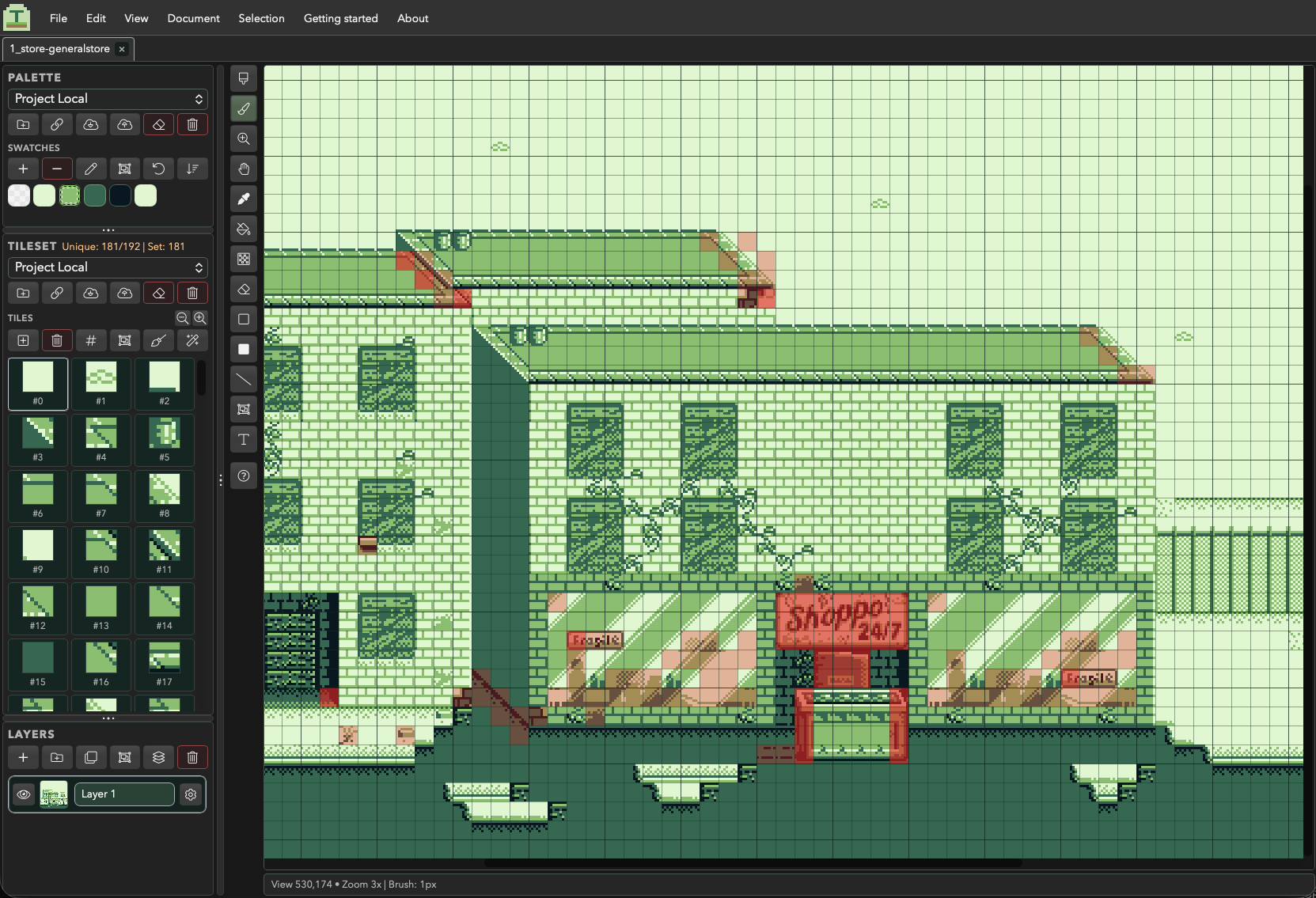
The scene further up this page is sitting at 181 of 192. That's a comfortable place to be, I'd advise not maxing out your tiles as this limit may be shared by other things, such as sprites/frames of animation on the scene, changing these elsewhere can pop your limits across the entire project!
Two ways to work
Both are normal, and most people end up mixing them. The only real difference is when the tiles get made.
1. Draw first, index afterwards
This is the one that feels most like Photoshop. Paint the scene straight onto the canvas with the brush, fills and shape tools, thinking about how it looks rather than how it's stored. Right click picks up whatever's under the cursor so you can repeat it quickly, and right click and drag grabs a whole rectangle as a multi tile stamp. You can also skip the drawing entirely and import a finished background, a PNG you already made in Photoshop.
Then let Tessarium index it. One action turns the artwork into tiles and gives every different cell an identity. Now check the unique count and the heat map, merge the duplicates, and go back into whichever areas are costing you the most to make them repeat more. You're optimising a finished picture instead of rationing yourself while you draw it.
2. Or build from tiles
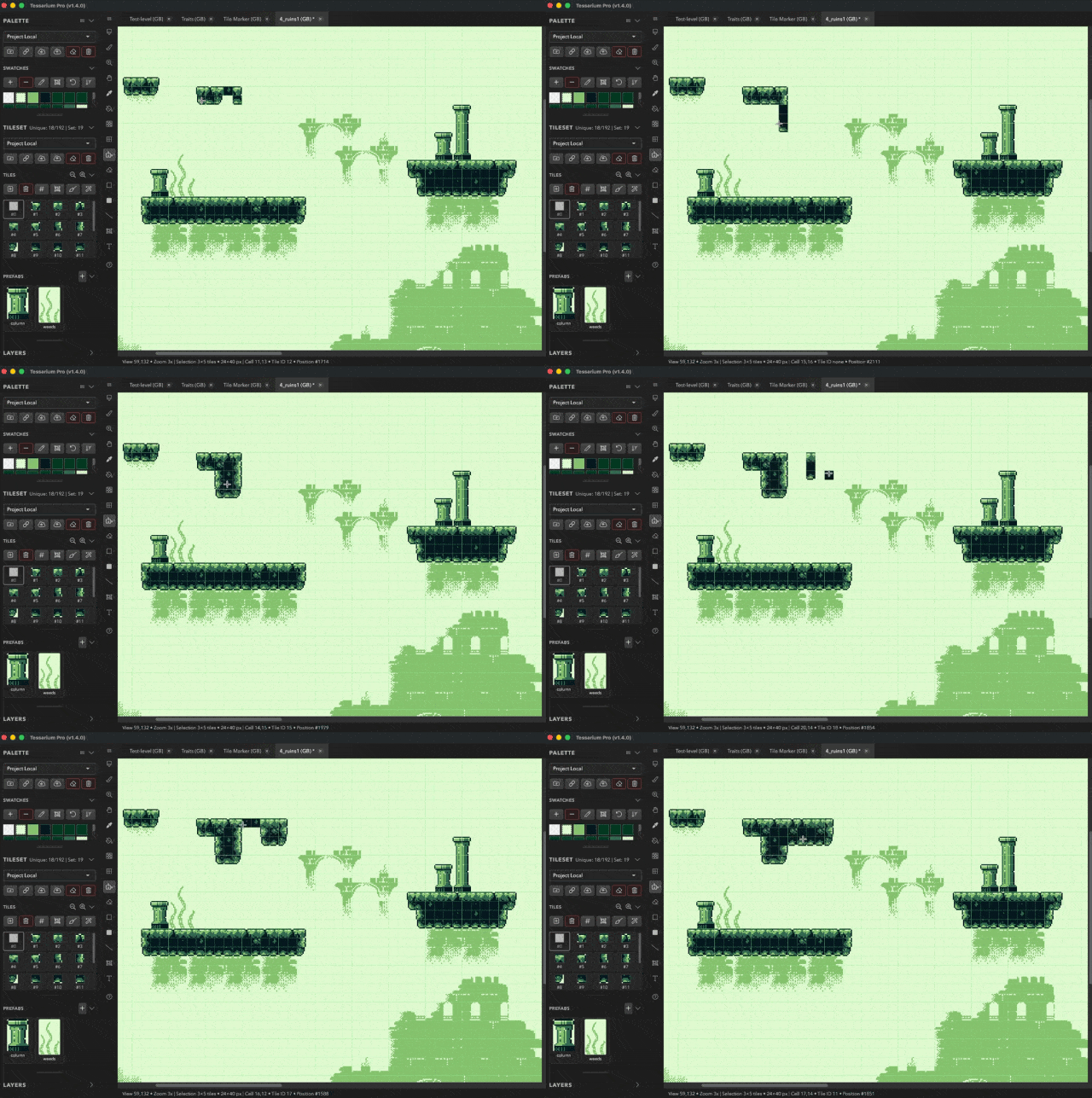
The traditional route, and the one that stays cheap without you having to think about it. Draw a small set of tiles first (ground, wall, edge, a couple of details) then build the scene by stamping them, running terrain over the big areas and dropping in prefabs. The unique count barely moves, because everything on screen is something you already made.
This is much faster for large or repetitive areas and it's how you stay well inside a tight budget. It's less comfortable if you don't know yet what the scene is going to look like.
Either way, everything you'd reach for is still there. Layers with opacity and blend modes, selection and free transform, a magic wand, rulers and guides, text, undo history. The grid constrains where things land, not how you draw.
Getting started
A first scene, start to finish
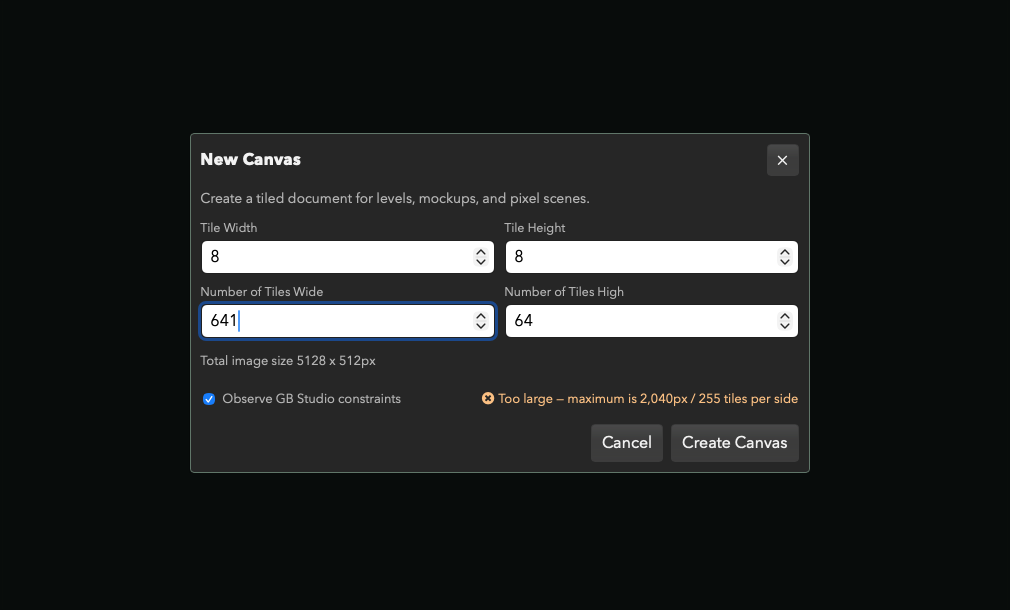
- Pick a size that means something. New Canvas, choose a platform, and Tessarium will tell you if the dimensions won't work for it. A Game Boy screen is 20x18 tiles at 8x8 pixels, so 160x144.
- Draw, don't plan. Block the scene in with the brush and fill tools. Ignore tiles completely for now.
- Promote whatever repeats. Select a piece worth reusing (a brick, a window, a patch of grass) and turn it into a tile.
- Stamp it around. Place it wherever it belongs. Shift and drag runs a line of them.
- Now edit that tile. Change it once and watch every placement change with it. This is the moment the whole thing clicks.
- Tidy up. Run Optimise to merge tiles that came out identical and drop any you've stopped using.
- Export. A PNG for most engines, or a Tiled
.tmjmap if you want the grid data as well.
Questions
Common questions
Can I just keep using Photoshop?
For art that isn't a level, sure. For a level, the reuse and the grid are what your engine and your future self both need. You can also draw in Photoshop and bring the PNG into Tessarium to cut it into tiles. Open a PNG, edit it, and saving writes straight back over the same file.
Do I need to know what tile size to use?
8x8 if you're targeting Game Boy or NES era hardware, 16x16 for most pixel art styled modern games. Tessarium does both. If you've got no constraint at all, start at 16x16, since fewer and larger tiles are easier to draw.
Is this only for retro consoles?
No. The platform profiles are there if you want them, but tile based levels are how Godot, Unity and GameMaker games get built too. Turn the guidance off and set your own canvas size.
What does it cost?
Tessarium is completely free, with every feature included in one version. It runs in the browser with nothing to install, or as a free desktop download. Add Outline, Replace Colour, Lighting fill, Iso Skew and themes are all included.
Draw one scene and see
The browser version needs no install and no account. Twenty minutes and one repeated tile is usually enough for the idea to land.
Already using something else? There's a page for Pyxel Edit users, and one for people building levels in Tiled.