
Tessarium
Using Tiled? This is the bit that draws the tiles.
Tiled is a great level editor. There's one thing it's never claimed to do though, and that's draw a pixel. Every tileset you open in Tiled was made somewhere else, and every time the art needs changing you have to leave Tiled to do it. That's the half Tessarium is built for, gradients, text, deduping tools etc, and depending on what you're making it might cover the level building part too.
The Tiled gap is the art, not necessarily the map
Most people end up with two windows open. You draw a tileset in a pixel editor, export a PNG, load it into Tiled, build the level, notice a wall tile is wrong, switch back to the pixel editor, fix it, re-export, go back to Tiled, and hope the tile indices still line up. That loop can be annoying and it can get worse the more you iterate. You might even be opening another app to render your games 8bit fonts, or another to try and optimise the tile usage.
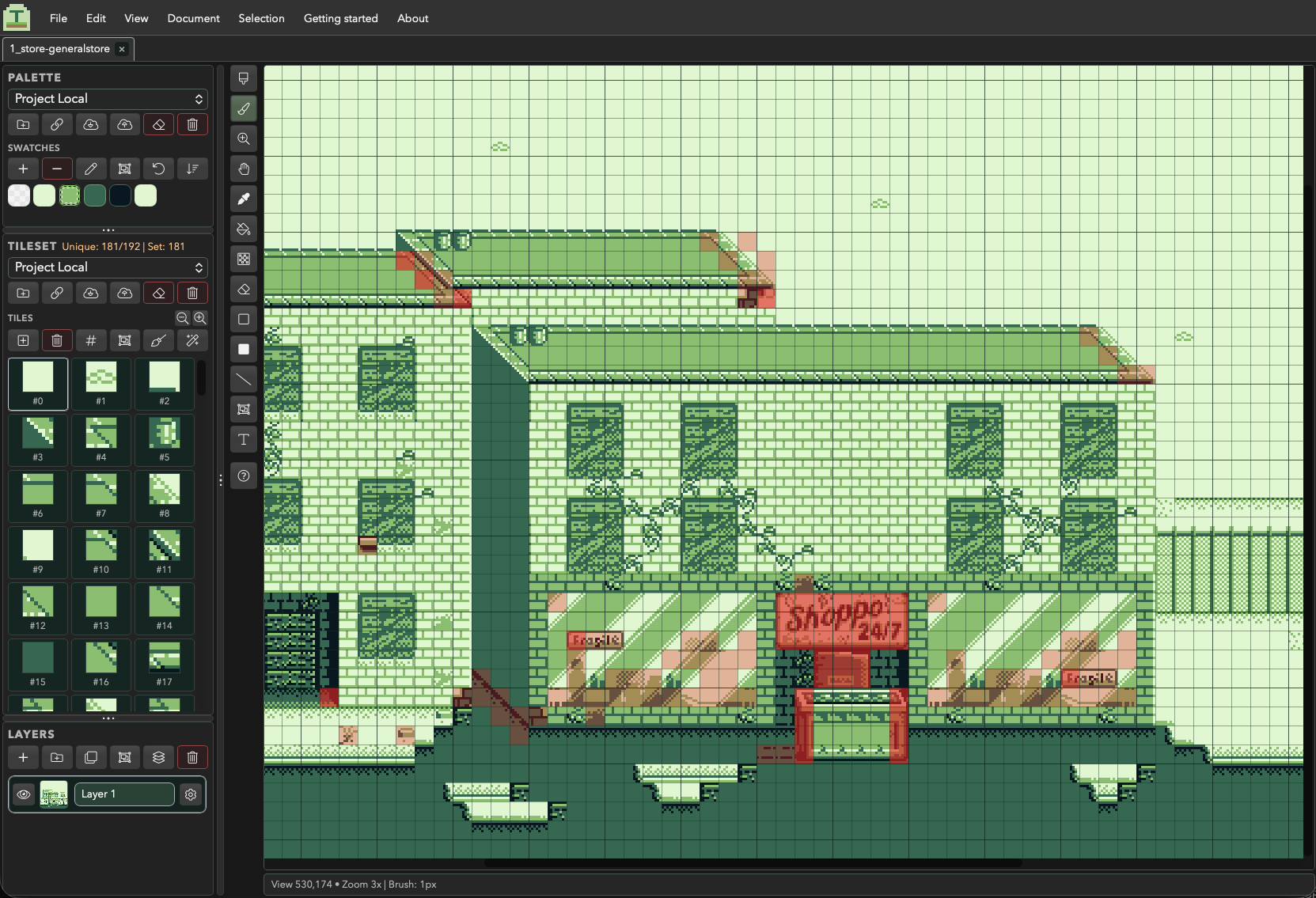
Tessarium gets rid of it. You draw straight onto the level, turn whatever you've drawn into a reusable tile, and every placement of that tile updates as you edit it. The map and the tileset are the same document, so there's no export step between changing a tile and seeing it everywhere it's used. You can tidy up your tilesets, reduce unique tile counts with the heatmaps, import your projects pixel fonts, all in the same app.
What each one is for
These aren't really competing tools, and Tiled does plenty that Tessarium doesn't try to. Here's how they actually split:
| Tiled | Tessarium | |
|---|---|---|
| Draw and edit the tile art | No | Full pixel editor, tile-first |
| Linked tile editing | No | Edit once, every placement updates |
| Palette control and colour limits | No | Indexed palettes, colours-per-tile checks |
| Hardware tile budgets | No | Unique tile counts and usage heat maps |
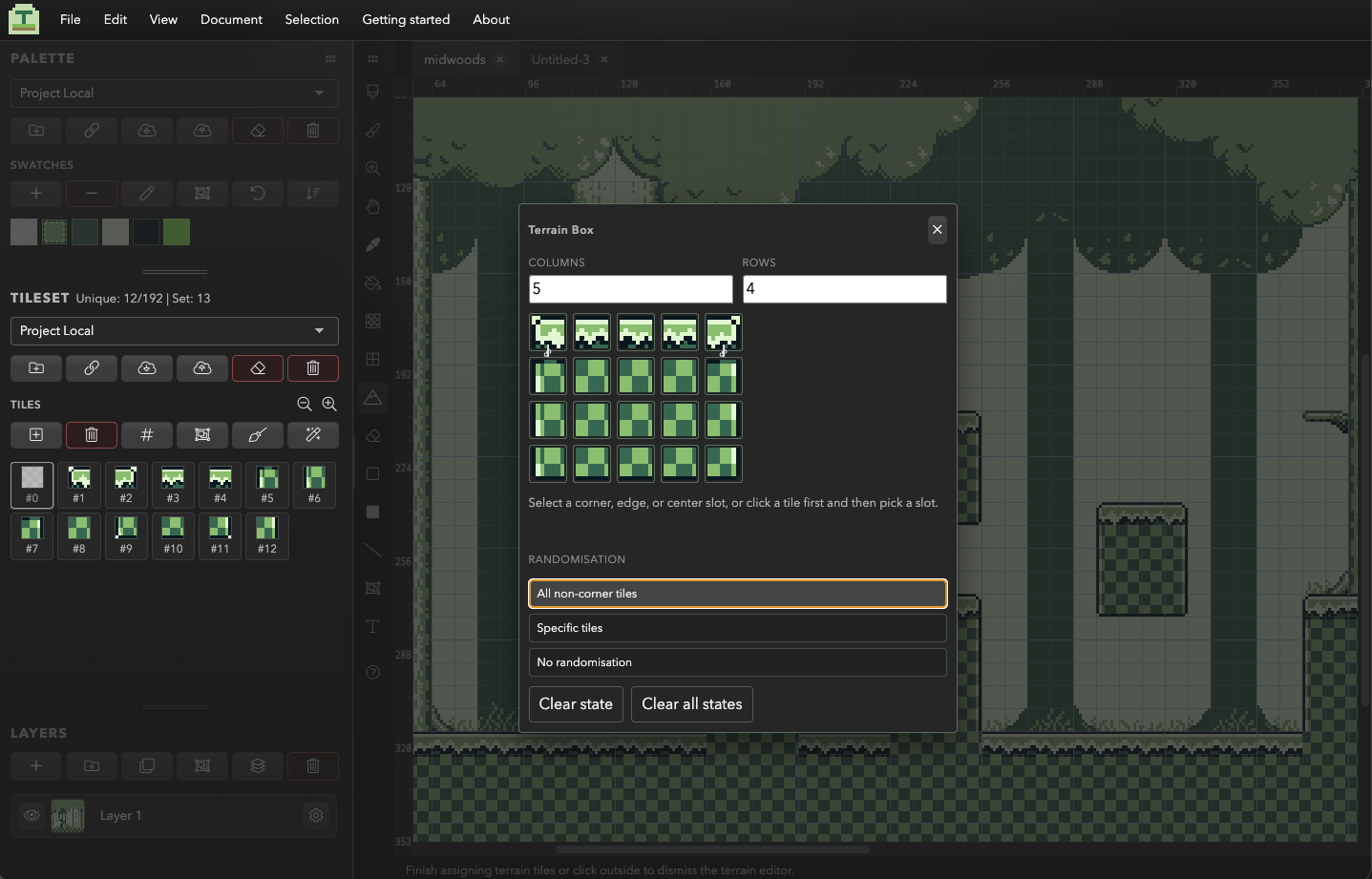
| Autotiling | Terrain sets, Wang tiles, Automapping | Terrain Brush, Box, Line and Fill |
| Objects, entities, custom properties | Object layers, templates, typed properties | No |
| Map shapes | Orthogonal, isometric, hexagonal, infinite | Orthogonal, with an isometric drawing grid |
| Multi-map worlds | Yes | No |
| Scripting and extensions | JavaScript API | No |
| Engine export targets | JSON, Lua, GameMaker, Defold and more | PNG, and Tiled .tmj |
| Price | Free and open source | Completely free, all features included |
Two ways to use it
Alongside Tiled
Build the scene and its tileset in Tessarium, export a .tmj map, then open that
in Tiled to add your object layers, collision shapes and custom properties. Or go the other
way: import a Tiled map whose art needs work, fix the tiles with every placement updating
live, and export it back out. Both tools read and write the same format, so neither one owns
your project.
Or just in Tessarium
For a lot of 2D games the level is tile art on a few layers and nothing else. If that's what you're making, you can draw it, build it, tidy up the tileset and export it without opening anything else. That's how I work on Game Boy and GB Studio projects, and it's fine for plenty of modern pixel art games too, where collision comes from a tile property in the engine rather than shapes drawn over the map.
Tessarium handles level creation as well, not just the drawing side. Layers with opacity and blend modes, stamping, terrain painting, prefabs, guides, selection and transform tools, several documents open at once. It's a pixel art tool and level creation app.
Where you'll still want Tiled
To Potentially save you a download, use Tiled when your level needs:
- Objects and entities. Spawn points, triggers, collision shapes, anything carrying typed custom properties your game reads back.
- Real isometric or hexagonal maps. Tessarium has an isometric drawing grid and iso angle snapping, but that's simply a drawing aid. Tiled has proper isometric and hex projection, with placement and selection working in that space. If you're making an iso game, that difference matters.
- Very large or infinite maps, and worlds made of lots of maps stitched together.
- Engine specific export. Lua, GameMaker, Defold and the rest, or your own format through its JavaScript API.
Working with Tiled and Tessrium
Tessarium imports Tiled maps (.tmj, and Tiled flavoured .json) and
standalone tilesets (.tsj / .tsx), and exports a Tiled map plus its
tileset image. Import covers orthogonal fixed size maps, atlas tilesets, group folders, tile
layers and image layers.
Object layers and image collection tilesets get skipped, because Tessarium has nowhere to put them. So if you're round tripping a map with entities in it, do the art pass first and add the objects in Tiled afterwards. The other way round and you'll lose them. Import also works best in the desktop app, since it needs to follow linked tileset and image files on disk.
What a general pixel editor won't give you
If the thing you currently pair with Tiled is a sprite editor, these are the parts that are specific to building levels rather than drawing sprites.
Tiles keep themselves tidy
Merge Duplicates collapses tiles that came out pixel identical, Remove Unused drops tiles nothing points at any more, and Reidentify rebuilds the indices. Optimise runs all three in one click. Doing that by hand in a sprite sheet is the kind of job everyone puts off until the tileset is already a mess (I certainly did).
Tilesets shared across several levels
Link one tileset to a few different level files, pull it into a new scene, and push improvements back so everything using it stays in sync. This was the big one for me. Before it, I was keeping huge master canvases around just to share tiles between levels.
Most importantly, working within budgets, if you're aiming to build for real hardware
Load a platform (Game Boy, GBC, NES, SNES, Master System, Mega Drive, C64, or your own limits) and Tessarium tracks the unique tile counts and flags tiles that break the colours-per-tile rule while you draw, for that particulary platform. Not much use if you're shipping to desktop. However it's essential stuff for retro platforms. You'll want to keep your unique tile count as low as possible, so the built in heat maps etc are all really geared around this.
Questions
Common questions
Does Tessarium replace Tiled?
For some projects yes, for others no. If your level is tile art on a few layers, Tessarium will take it from blank canvas to exported scene on its own. If it carries objects, collision shapes or custom properties, or it's isometric, hexagonal or very large, then Tiled does things Tessarium doesn't, and using both is a good solution.
Can it open my existing Tiled maps?
Yes, for orthogonal fixed size maps with atlas tilesets. Object layers don't come across, so add those in Tiled after the art pass rather than before.
Doesn't Tiled already have terrain brushes?
It does, and they're good. Tessarium's terrain tools aren't a reason to switch. They're there so you don't lose that way of working while you're on the art side of the project.
Is it free?
Tessarium is completely free, with every feature included in one version: drawing tools, linked tiles, shared tilesets, terrain tools, imports and exports, Add Outline, Replace Colour, Lighting fill, Iso Skew and themes.
Try it on a map you already have
The browser version needs no install but is somewhat restricted by browser limitations, you can use that or download the free desktop version. Import a .tmj file, change a tile, and
watch every placement of it update.
Coming from somewhere else? There's a page for Pyxel Edit users, and one on tile based level design if you've only ever drawn levels as a single image.